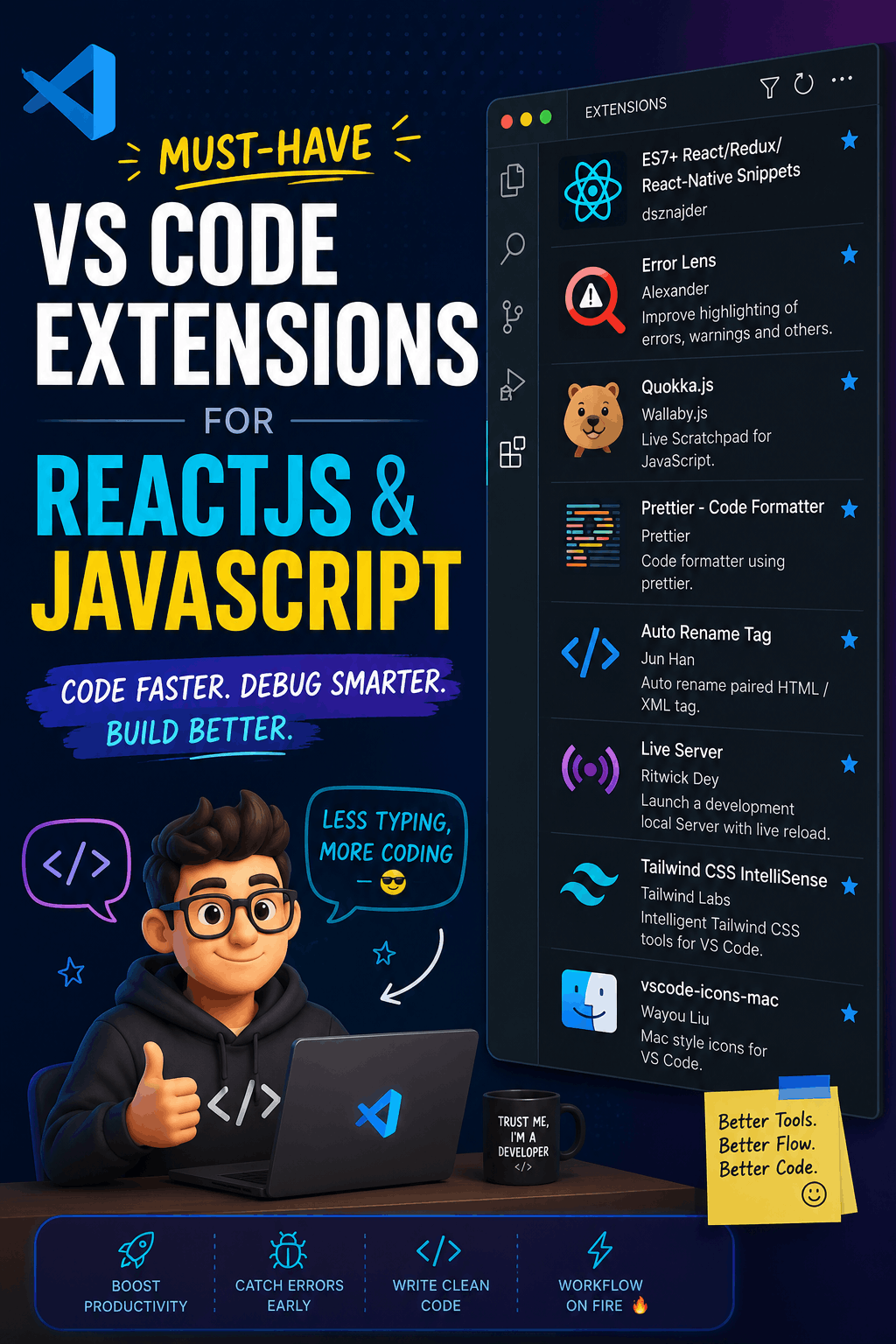
If you work with ReactJS or JavaScript most of the time, VS Code is probably your second home.
And just like a real home, if it is not organized, things get messy very fast.
One minute you are building a clean component, and the next minute you are searching for a missing closing tag, fixing formatting manually, wondering why Tailwind class names are not suggesting, and typing the same React boilerplate again and again like it is 2017.
That is where VS Code extensions save your life.
Not in a dramatic superhero way, but more like:
“Bro, relax. I will handle this small headache for you.”
Here are some must-have VS Code extensions that can make your React and JavaScript workflow faster, cleaner, and less painful.
1. ES7+ React/Redux/React-Native Snippets by dsznajder
This is one of those extensions that feels small at first, but once you use it, you cannot go back.
When working with React, we write the same type of code again and again:
const Component = () => {
  return <div></div>;
};

export default Component;
Typing this manually every time is not “hard,” but it is annoying.
With ES7+ React/Redux/React-Native Snippets, you can generate common React code using short commands.
For example, instead of writing a full component manually, you can use snippets like:
rafce
And boom — your component structure is ready.
What problem does it solve?
It saves time and reduces repetitive typing.
Why it is effective?
Because as developers, we should spend more time thinking about logic and less time typing the same boilerplate like we are filling government forms.
2. Error Lens by Alexander
Normally, VS Code shows errors in the Problems tab or underlines them inside your code.
But sometimes, that is not enough.
You miss one small error, then run the project, then the app crashes, then you stare at the screen like:
“But it was working five minutes ago…”
Error Lens makes errors and warnings more visible directly inside your code line.
Instead of hiding the problem quietly, it says:
“Hello developer, this line is suspicious.”
What problem does it solve?
It helps you catch errors faster without constantly checking the terminal or Problems tab.
Why it is effective?
Because bugs are easier to fix when you see them early. Error Lens is like that honest friend who tells you there is something stuck in your teeth before the meeting starts.
3. Quokka.js by Wallaby.js
Quokka.js is great for quickly testing JavaScript code inside VS Code.
Sometimes you do not want to create a full file, open the browser console, or run node manually just to test a small logic.
Maybe you want to check:
const price = 100;
const gst = price * 0.18;
console.log(gst);
Quokka can show the result instantly while you write the code.
What problem does it solve?
It helps you test JavaScript logic quickly without running the full project.
Why it is effective?
It is perfect when you are learning JS, debugging calculations, or checking array methods like map, filter, reduce, etc.
Basically, it saves you from opening 17 tabs just to test one small thing.
4. Prettier - Code Formatter by Prettier
This one is a must-have.
Without Prettier, code formatting can become a battlefield.
One developer likes semicolons.
Another does not.
One puts spaces everywhere.
Another writes code like it is a secret encrypted message.
Prettier fixes that.
It automatically formats your code so everything looks clean and consistent.
What problem does it solve?
It removes messy formatting and keeps your code readable.
Why it is effective?
Because clean code is easier to understand, easier to debug, and easier to work with in a team.
Also, let’s be honest — badly formatted code can make even good logic look suspicious.
5. Auto Rename Tag by Jun Han
React developers deal with JSX all the time.
And JSX means tags. Lots of tags.
You rename one opening tag but forget the closing tag, and suddenly your layout starts behaving like it has personal issues.
Auto Rename Tag automatically updates the closing tag when you rename the opening tag.
For example, if you change:
<div>
  Hello
</div>
to:
<section>
  Hello
</section>
It updates both sides for you.
What problem does it solve?
It prevents tag mismatch mistakes.
Why it is effective?
Because manually renaming both tags is small work, but forgetting one can waste your time for no reason.
This extension is basically your JSX bodyguard.
6. Live Server by Ritwick Dey
Live Server is especially useful when working with normal HTML, CSS, and JavaScript projects.
It starts a local development server and refreshes the browser automatically when you save changes.
No more manually refreshing the browser after every small change.
What problem does it solve?
It gives you instant preview while working on frontend pages.
Why it is effective?
For React projects, you usually already have Vite or Create React App dev server. But for HTML/CSS/JS practice, landing pages, or quick testing, Live Server is still super useful.
It saves you from the classic developer workout:
Code → save → browser → refresh → code → save → browser → refresh.
7. Tailwind CSS IntelliSense by Tailwind Labs
If you use Tailwind CSS, this extension is non-negotiable.
Tailwind is powerful, but remembering every class name is not easy.
Was it items-center or item-center?
Was it rounded-xl or border-radius-big-boy?
Tailwind CSS IntelliSense gives you class name suggestions, autocomplete, and helpful hints while writing Tailwind classes.
What problem does it solve?
It helps you write Tailwind classes faster and with fewer mistakes.
Why it is effective?
It makes Tailwind feel smoother and easier to use, especially when building modern React UIs.
Without it, Tailwind can feel like trying to remember cheat codes from an old video game.
8. vscode-icons-mac by Wayou Liu
This one is more about visual comfort and organization.
When your project grows, you may have folders like:
components
hooks
pages
utils
services
assets
context
And after some time, everything starts looking the same.
vscode-icons-mac adds clean file and folder icons so you can quickly recognize files by type.
What problem does it solve?
It makes your project structure easier to scan.
Why it is effective?
Because visual organization matters. When you can find files faster, you work faster.
Also, let’s be honest — a good-looking VS Code setup makes you feel at least 20% more professional.
Even if the code is still broken.
Final Thoughts
VS Code is already powerful, but the right extensions can make your daily development work much smoother.
For ReactJS and JavaScript developers, these extensions help with:
- Writing code faster
- Catching errors earlier
- Formatting code properly
- Testing JS logic quickly
- Managing JSX tags
- Working with Tailwind better
- Keeping the project visually clean
Here is the full list again:
- ES7+ React/Redux/React-Native Snippets by dsznajder
- Error Lens by Alexander
- Quokka.js by Wallaby.js
- Prettier - Code Formatter by Prettier
- Auto Rename Tag by Jun Han
- Live Server by Ritwick Dey
- Tailwind CSS IntelliSense by Tailwind Labs
- vscode-icons-mac by Wayou Liu
These extensions will not magically make you a senior developer overnight.
But they will make your workflow faster, cleaner, and less frustrating.
And sometimes, that is exactly what we need — because the code already gives enough stress.